
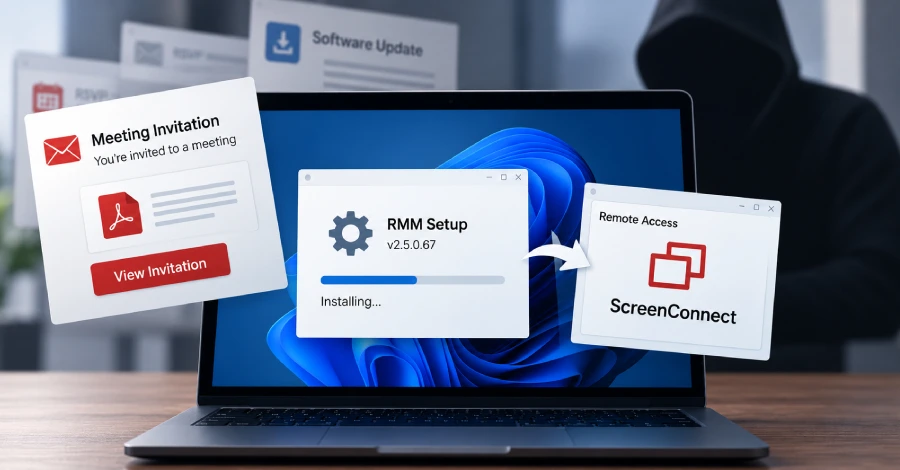
Microsoft has described a phishing campaign that avoids custom malware and instead installs legitimate remote-management tools. Emails carry a digitally signed installer for MSP360 RMM (version 2.5.0.67) disguised as an e-card invitation, an RSVP, a Zoom setup, a PDF reader or a “SSA.gov statement.” Running it re-launches through the Windows UAC prompt, sets up MSP360 with services and autorun entries, and then uses MSP360 to run PowerShell that quietly installs a ConnectWise ScreenConnect client.
With two trusted remote-access tools in place, the attacker has a backup channel if one is found, and can push more tools and collect credentials while blending into normal IT activity. Microsoft saw the activity in July 2026 and has not tied it to a known group; a separate set of attacks used Faronics Deploy Agent in place of MSP360 to install ScreenConnect. Because both programs are legitimate and signed, antivirus may not flag them.
How to check if you’re affected
Affected devices are Windows PCs where an unexpected MSP360 or ScreenConnect client appears, especially in organizations that do not use either product.
- Look for installers named like
*_rmm_v2.5.0.67_oid*.exe, and for the Windows servicesRMM.Agent.exeandRMM.Agent.Launcher.exe. - Check the firewall for an inbound UDP rule for the MSP360 agent on port 48678.
- Review installed programs and services for ScreenConnect clients you did not deploy, and audit approved remote-access software with your IT team.
- If you find one, disconnect the machine, remove the tools and reset the passwords used on it.