
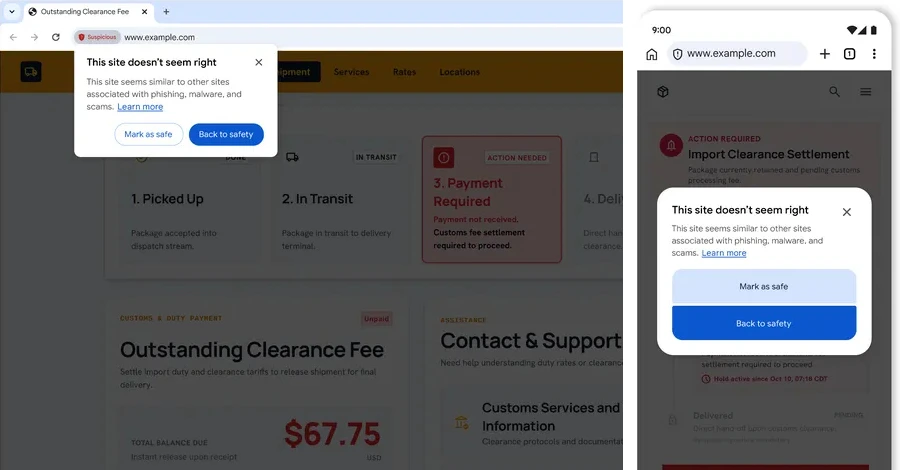
Google said on Tuesday that Chrome is getting a new defense against ClickFix, a scam in which a web page shows a fake “verification” (such as a fake Cloudflare or reCAPTCHA check) or a made-up error and tells you to copy a command and paste it into the Windows Run dialog or the Mac Terminal. Pressing Enter starts an infection chain that can install information stealers or remote access trojans. Because the download happens in the terminal rather than the browser, the attack sidesteps Chrome’s download protections, and the commands often use built-in tools such as PowerShell or cmd.exe to fetch the next stage.
The new feature works for people who have Chrome’s Enhanced Protection turned on. When Chrome detects that you copied a suspicious command, it scrubs the clipboard text of personal information and sends it to Safe Browsing for analysis, and shows a warning if the verdict is dangerous. Google says the system is built for high precision to avoid disrupting legitimate developer activity. Separately, Google is adding a taxonomy of “suspicious” and “dangerous” site warnings for Enhanced Protection users, extending its on-device AI scam detection to fake antivirus and browser-update scams, and bringing Financial Services Verification for advertisers to the U.S. and Canada, working with the American Bankers Association’s registry to confirm authorized banks.
How to check if you’re affected
The protection applies to Chrome users with Enhanced Protection enabled; it is not described as a default for Standard Protection users. Affected devices are any computers running Chrome where you have not switched that mode on. To see or change your setting, follow Google’s help page for choosing your Safe Browsing protection level in Chrome. The article does not give a Chrome version number for the rollout.
Whatever your setting, the habit that stops ClickFix is the same: a legitimate website or CAPTCHA will not ask you to paste a command into Run or Terminal. Google’s own blog post says Chrome will never ask you to repair it that way.