
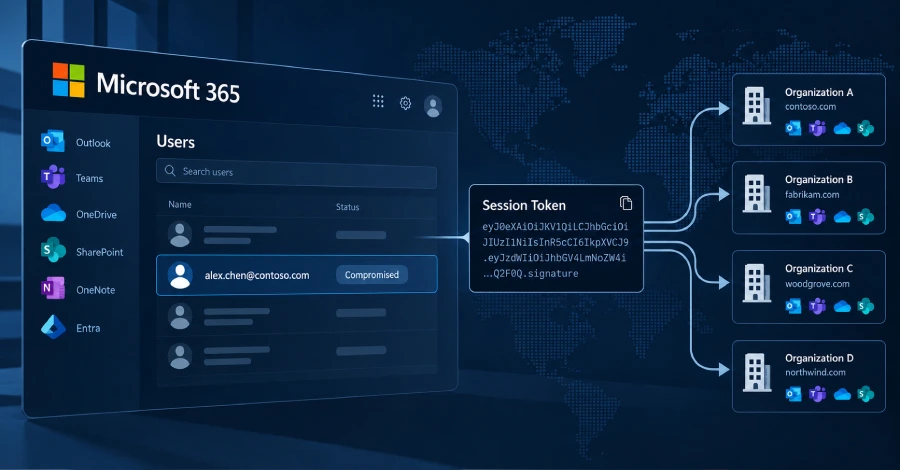
Huntress has described a Microsoft 365 campaign, active between July 14 and September 22, 2026, in which attackers did not guess passwords. Victims were sent to a fake sign-in page that sat between them and the real Microsoft login, capturing their credentials and one-time codes and relaying them. The attackers kept the resulting sign-in token and replayed it from their own machines within minutes. Huntress calls the technique token spraying, because many stolen tokens are replayed across many organisations, much as passwords are in a password-spraying attack. It saw more than 200,000 login attempts from one IP range (193.26.115[.]0/24), 497 successful Microsoft 365 sign-ins, 97 compromised accounts at 79 organisations and 48 rogue computers registered in victims’ Entra directories. Huntress says the tokens came from several sources, including phishing relays, device-code phishing and social engineering during a legitimate login.
Once in, The Hacker News reports, the attackers added their own authenticator app so they could pass MFA again if the stolen session expired or was revoked. In at least 19 organisations the victim’s existing MFA methods were removed and a new one registered within three hours of the first sign-in; in one case a method named “iPhone 13” was activated under 51 minutes after the hijack. They also created hidden inbox rules with names such as “.”, “sss”, “s” and “d” that delete or move messages mentioning payroll, deposit or bonus. One compromised mailbox was then used to send spam to hundreds of external recipients before Microsoft Entra ID Protection rated the account high risk.
How to check if you’re affected
Affected products are Microsoft 365 and Entra ID tenants, particularly those where MFA is required but Conditional Access is not enforced on all users, apps and client types. From Huntress’s guidance:
- Look in Entra sign-in logs for sign-ins from the 193.26.115[.]0/24 range and for the other IPs listed in the Huntress report.
- Audit registered devices for names like
DESKTOP-,Device-orWork Pcfollowed by eight hex characters, especially registered from hosting-provider IPs. Huntress says the pattern is rare but not unique to this campaign, so confirm before deleting. - Look for MFA methods that were cleared and re-registered within minutes, and for hidden inbox rules with one- or few-character names.
- If you suspect a compromise, revoke sessions and reset the password. Huntress warns a password reset alone does not invalidate the access token (lifetime roughly 90 minutes) and does not remove attacker-registered devices or MFA methods.
- To close the gap, Huntress recommends Conditional Access policies that require MFA (or block) for all users, all cloud apps and all client app types, unconditionally.