
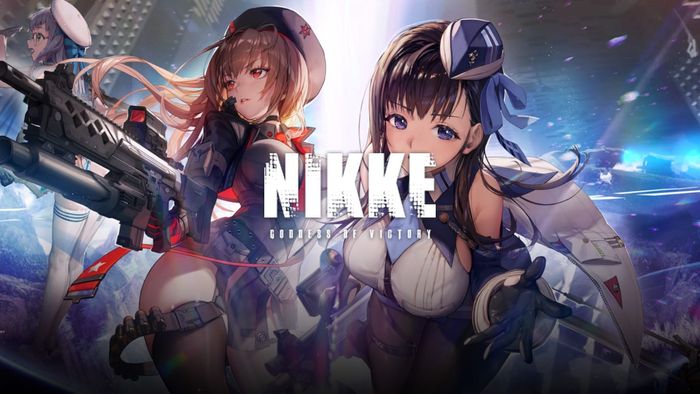
The developers of the shooter RPG Goddess of Victory: NIKKE say someone tampered with the script files of its PC launcher, the program players open before the game. In a statement on X, the publisher said it shipped a client fix and update around 02:30 (UTC+9) on November 4 and is still investigating how far the problem reached. It did not describe the malware or give players any steps. According to BleepingComputer, the game has more than 45 million downloads since 2022.
The technical details come from an independent researcher, MotherSphere, whose write-up BleepingComputer reviewed. The researcher says four JavaScript files on the publisher’s official content delivery network were modified on September 27 to load extra code from two attacker-controlled domains, insightjs[.]com and insightjs[.]org. That code installed a remote-access agent the researcher calls K2F, which could run commands, read and download files, take screenshots, collect NIKKE login details and read data from web browsers. The researcher dates the earliest agent start to October 23. BleepingComputer examined two of the modified files and confirmed they held an obfuscated loader that fetched code from those domains. It also found a DLL sample whose strings point to theft of cryptocurrency-wallet data (MetaMask, Phantom, Coinbase Wallet and others), but says it is unknown whether attackers actually deployed that component or stole any crypto. How the attackers got write access to the publisher’s CDN is, per the researcher, still unknown.
How to check if you’re affected
Affected products are the NIKKE PC launcher on Windows, plus Linux and Steam Deck (Proton) installs according to the researcher; the researcher also says the Google Play Games build of the PC client was hit. The sources describe the PC launcher only, and the mobile apps are not mentioned as affected. The researcher’s window is anyone who opened the launcher from October 23 at the latest until the fix, or whose launcher kept using modified files from its local cache.
To check, the researcher’s write-up and BleepingComputer give these steps:
- Open the file
Launcher/intl_service/debug.loginside your NIKKE install folder and search for the textk2f_chan. If it is there, the malicious agent ran on that PC. BleepingComputer notes this does not prove the extra DLL was loaded. - The researcher published a read-only checking tool (“NIKKE Launcher Check”, linked from the write-up) and advises running it before deleting the launcher cache, because the cache holds some of the traces.
- Before opening the launcher again, delete its cache folder
%APPDATA%\nikke_launcher\tbs_cache(the researcher gives the equivalent folder names for the other builds), since it can still hold the modified files. The researcher also advises keeping the two insightjs domains blocked. - BleepingComputer advises running a full scan with up-to-date antivirus software. If a PC turns out to be compromised, it advises reinstalling Windows and changing passwords and other sensitive credentials from a clean device.
BleepingComputer’s article carries an update saying the publisher has since released instructions for checking a PC; we have not read that notice, so follow it alongside the steps above.