
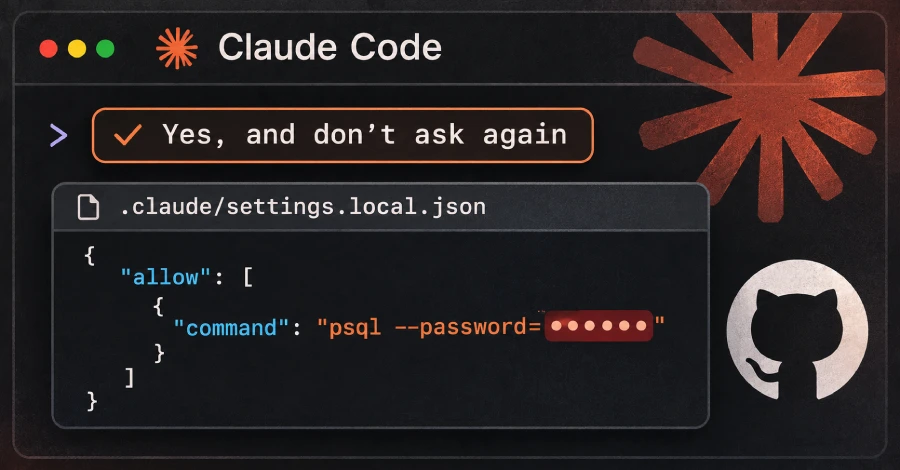
Passwords and API keys that developers typed into shell commands they approved in Claude Code are sitting in public GitHub repositories. According to The Hacker News’s report on research from the software security company Apiiro, when a user picks “Yes, and don’t ask again,” Claude Code can save the approved command word-for-word in .claude/settings.local.json inside the project, secret included. The rule covers only what the prompt offered: sometimes a pattern such as npm test *, sometimes one exact command.
Apiiro’s search of public GitHub found 104,185 copies of the file in 103,617 repositories. About 1.1%, or 1,122 copies, hold at least one secret, 1,379 in total, including 379 database passwords, 43 SSH logins, 42 GitHub, GitLab or npm tokens and 23 AWS keys. Apiiro did not test whether the secrets still work, though one company it notified earlier this week confirmed its key had been live. Claude Code adds the file to the user’s global git excludes the first time it writes it, but that setting lives on one computer and does nothing for a file that was already committed, and the tool does not add the file to the project’s own .gitignore. Removing the file from a repository does not undo the leak, because older versions stay in git history and in forks. Apiiro says it compared 16 coding agents’ documentation and that Claude Code is the only one confirmed to save the full approved command in a project file by default.
How to check if you’re affected
Affected products are any project where you used Claude Code and chose “Yes, and don’t ask again” on a command that contained a credential. No CVE has been assigned and no fixed version is cited in the reporting; Apiiro’s advice is to clean up and change habits. The Hacker News lists these steps from the researchers:
- Search your GitHub organization for
.claude/settings.local.jsonand.claude/settings.json, and check each repository’s git history for them, even where the files are gone. - Rotate every password, token and key those files have ever held, before cleaning up.
- Stop tracking the local file with
git rm --cached .claude/settings.local.jsonand add it to the repository’s own.gitignore. - Open the file on your own computer, even if it was never committed, and delete every rule that contains a secret.
- Keep secrets out of commands by referring to them as variables from a secrets manager, such as
$DB_URL, and approve patterns such asBash(npm run:*)instead of single commands.
Apiiro also says the file can end up in an npm package, a Docker image, a zip archive or a synced folder, so copies that never reach GitHub still matter. Its write-up was behind a bot challenge when we tried to read it, so the figures above are as reported by The Hacker News.
Sources
- Apiiro: Coding agents leaking secrets on GitHub (“don’t ask again”) (page returned a bot challenge; not read directly)
- Claude Code documentation: Configure permissions
- Claude Code documentation: Settings files and precedence
- anthropics/claude-code issue #5544: approved bash commands containing credentials are stored as is in settings.local.json
- The Hacker News: Claude Code’s “Don’t Ask Again” File Exposes Passwords and Keys in 1,122 Public Copies on GitHub