
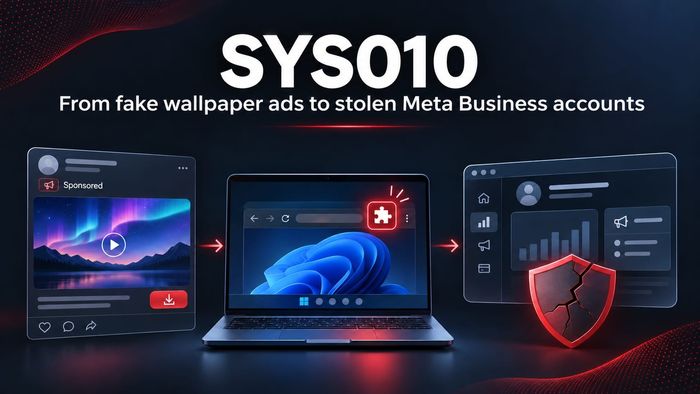
Bitdefender Labs says a malvertising campaign it calls SYS010 is using paid Meta (Facebook) ads for free animated wallpaper apps for Windows to infect people who manage Meta Business accounts. The ads impersonate Wallpaper Engine and Lively Wallpapers and send people to download sites, some on domains made to look official. The app that gets installed does work as a wallpaper app, which hides the malware running in the background. Bitdefender identified the first malicious ad on October 16; BleepingComputer says the campaign was still running, with hundreds of ads. BleepingComputer, citing Meta’s ad transparency page, says one ad alone reached 6,275 users in the European Union.
What makes it hard to shake off is how the malware installs its browser add-on. Bitdefender says the attacker abuses the management tools companies use to control browsers: in Chrome the browser is enrolled in an attacker-controlled Google admin console, in Firefox a policy force-installs the add-on and turns off Developer Tools and abuse reporting, and for Edge the Windows device can be enrolled in an attacker’s mobile device management server. Those changes need administrator rights, so BleepingComputer reports the malware repeats the Windows permission prompt every three seconds, up to 99 times, until the user clicks yes. The add-ons, which pose as “Docs Helper” (Chrome) and “Document Hub” (Firefox), cannot be removed or disabled by the user, according to Bitdefender, and in Chrome Safe Browsing is switched off and the management notice on the New Tab page is hidden.
Once running, the add-ons steal session cookies, which BleepingComputer says can let an attacker into signed-in accounts without a password or a two-factor prompt, and collect details of Facebook Pages, ad accounts and business accounts the victim can reach, including spending and payment details. The Chrome extension can also read recent Gmail and Outlook messages, upload them, and permanently delete chosen ones. Bitdefender notes the targeting by sender and recency matches the security alerts and login codes services send when a new device signs in, so attackers could use a code and then erase the alert before the victim sees it. Bitdefender saw requests to the attackers’ servers from countries across Asia, Europe, North America, Africa and South America, but stresses that this does not reflect confirmed infections. Bitdefender sells security products, and its report promotes them.
How to check if you’re affected
Affected devices are Windows PCs where someone installed a free animated-wallpaper app from a download link found in a Meta ad. Bitdefender’s indicator list names the downloads Wallpaper_Engine.zip and Live_Wallpapers.zip, and promotion or download domains including wallpapersengine[.]com, wallpapers[.]top, wallpaper-engine[.]pro, 4kwallpapers[.]top, gover[.]top and upfiles[.]top (defanged here; do not visit them).
- Look for an unexpected “managed by your organization” message in Chrome, Edge or Firefox on a personal or small-business computer. Bitdefender says to treat it as a red flag; on a work computer, ask your IT team whether the management is theirs.
- Look in the browser’s extension list for “Docs Helper” (Chrome extension ID
ikpkhjechdnnfjedponpfmigmgcjgabi, version 1.0.25) or “Document Hub” (Firefox, version 2.1.20). Bitdefender also lists an Edge extension ID,pmhmgkohdaacioooendcjcibkefifjja. BleepingComputer notes the fake Docs Helper uses a Google Docs-style icon and is distributed outside the Chrome Web Store. - If you cannot find login alerts, verification emails or password-reset messages you expect, Bitdefender says to investigate promptly rather than assume they were delayed.
- Review your Meta Business settings for people, partners or connected assets you do not recognize, new ad accounts or Pages, changed payment methods, unexpected ads or spend, and login alerts you did not trigger (Bitdefender’s advice).
- Do not keep clicking “Yes” on a Windows administrator prompt that keeps coming back; Bitdefender says legitimate software does not pressure you this way, and recommends not downloading software from social-media ads.
- We did not find step-by-step removal instructions in Bitdefender’s report or BleepingComputer’s article. For an unexpected management message on a personal computer, Bitdefender’s advice is to ask a trusted IT professional or security provider to investigate. Changing passwords from a different, clean device is our own suggestion, not a step either source gives.
Sources
- Bitdefender Labs: SYS010 Reloaded, the new malvertising campaign targeting Meta Business accounts (campaign details, indicators of compromise, recommendations)
- BleepingComputer: SYS010 malware abuses browser management to spy on Gmail, Outlook